Stocks, forex, and crypto
Call the
next candle.
Learn the bullish bar and the bearish bar. Then the simulator asks you to pick Above or Down.
4.7 · 207 reviews · 50K+ downloads · Everyone
Simulator
0 called · 0 right
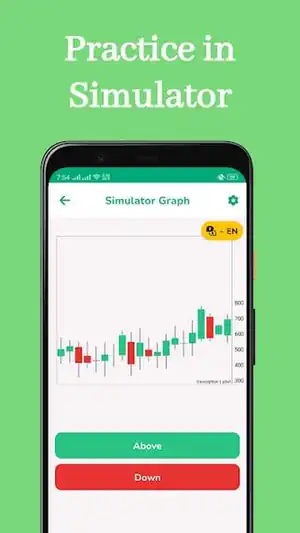
The dashed line is the last close. Call the next bar.
Up and Down keys work while this card is focused
Basic learning
Four prices. One candle.
The body is the distance between open and close. The wick is everything the market tried and gave back.
Close finished above the open. Buyers had the last word.
What opens inside the app
- 01
Basic learning
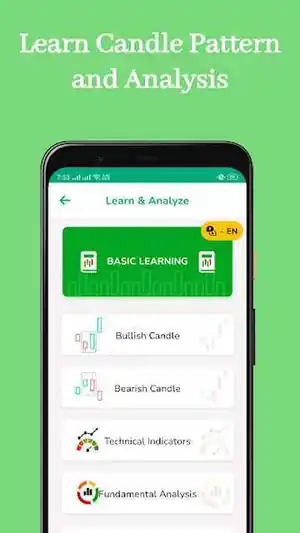
A bullish candle closes above its open. A bearish candle closes below it. The wick is the price the market reached and gave back.
- 02
Technical indicators
A lesson for the lines traders draw on top of price. The app keeps that next to the candles, not in a separate course.
- 03
Fundamental analysis
Price has a story under it: the company, the currency pair, or the coin. This section is that story, in the same list as the candles.
- 04
Simulator
A chart, and two calls. Above or Down. The next bar prints, and you see whether you read the last close correctly.
Practice tape
Scrub a longer bar.
A generated series, so you can move through it. It is not a live quote, and the dates are part of the sample.
Scroll the dates to change how much tape you see. Drag the prices on the right to zoom the scale. Point at a bar for its open, high, low, and close.
The listing, frame by frame

In the app
Six languages.
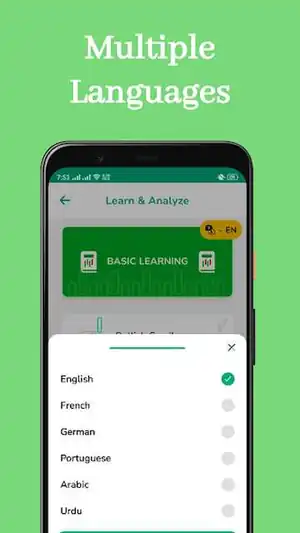
The switch inside Learn & Analyze covers English, French, German, Portuguese, Arabic, and Urdu.
Learn Candlestick
From the Play Store
habeeb abiola
6 Nov 2024
“This is absolutely top notch learning experience, I learnt so much and I have gained so much, this is a game changer and my candle stick knowledge has increased”
Metallic Volcanics
17 Oct 2026
“Great, really useful information easy for beginner or advanced users to navigate.”
Austine Orukevwe
10 Sep 2025
“I will rate this app 5 star, but I want you people to update the app with more diagram presentations”